Choose one app
Allow Screen Time access and select an app you tend to open automatically. Start with just one.
APP BLOCKER · SCREEN TIME · IPHONE
You came to do one thing. What For? helps you choose a purpose and a time limit before opening distracting apps.
iPhone · iOS 17+ · No account required · Contains ads
Before you open
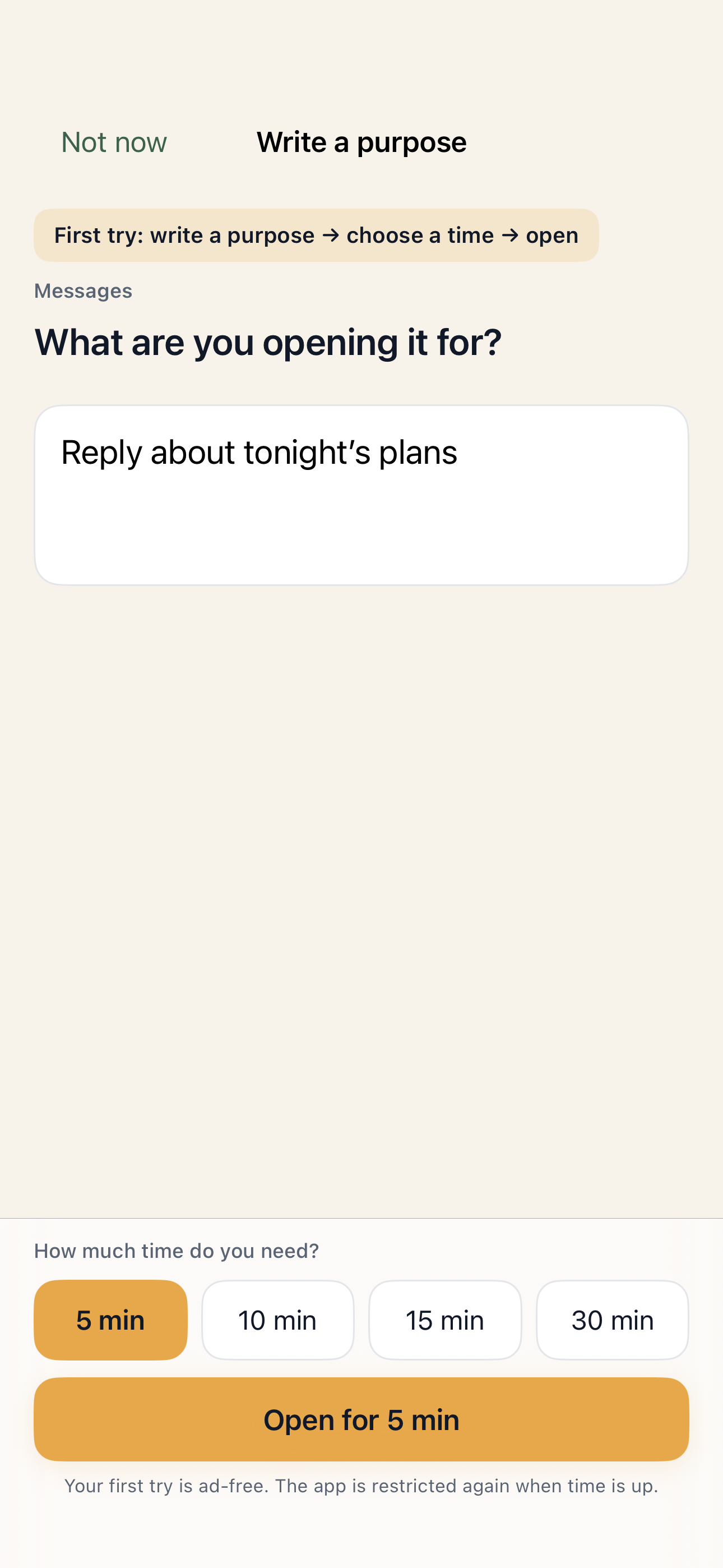
One reply.
A clear stopping point.
Keep the apps you need. Add a moment to choose why you are opening them. No purpose right now? Choose “Not now” and leave the app closed.
How it works
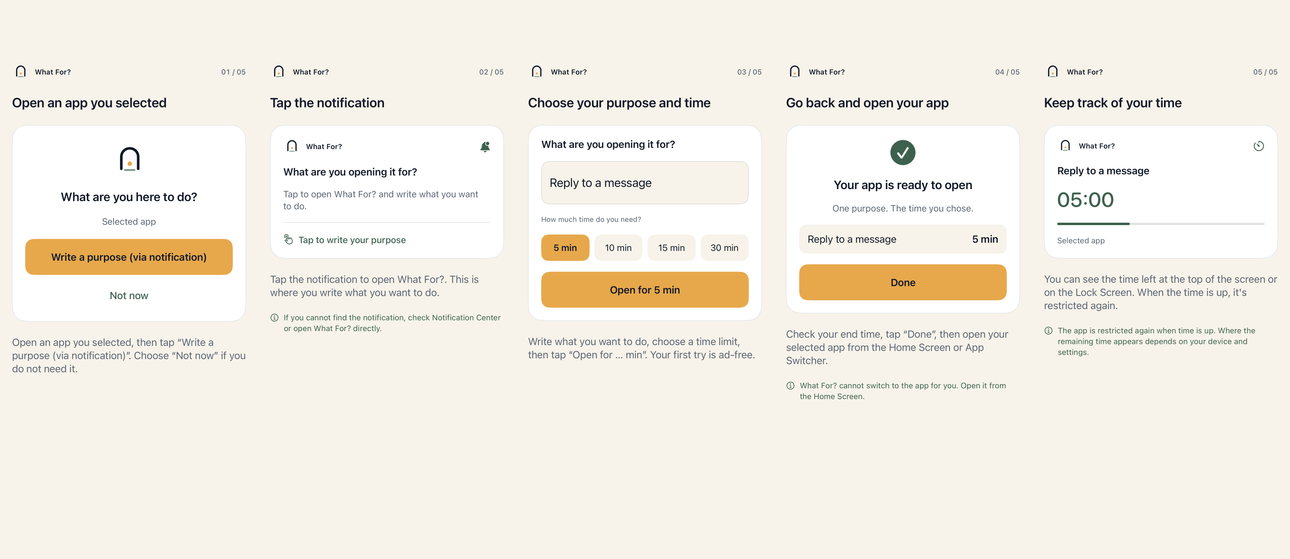
Allow Screen Time access and select an app you tend to open automatically. Start with just one.
Open your selected app, then tap the notification to return to What For?. Write what you came to do and choose 5, 10, 15 or 30 minutes.
Open your selected app from the Home Screen. It is restricted again when your time ends. Reflect on whether you did what you intended.
Your first guided session is ad-free. Later unlocks use a rewarded-ad step. Notifications help you return to What For?; you can also open it yourself.
 Setup help and common questions
 Your data
No account is needed. What For? does not read messages, posts or searches inside your apps. The main app uses AdMob for ads, and Firebase for usage analytics and crash reports. You can turn analytics and crash collection off in Settings.
Make it yours
Choose a purpose and a short time limit for a reply, a search or a planned break.
Change purpose choices, default times, daily limits and cooldowns for each selected app.
Review purposes, skipped openings and reflections in Home and Records.